
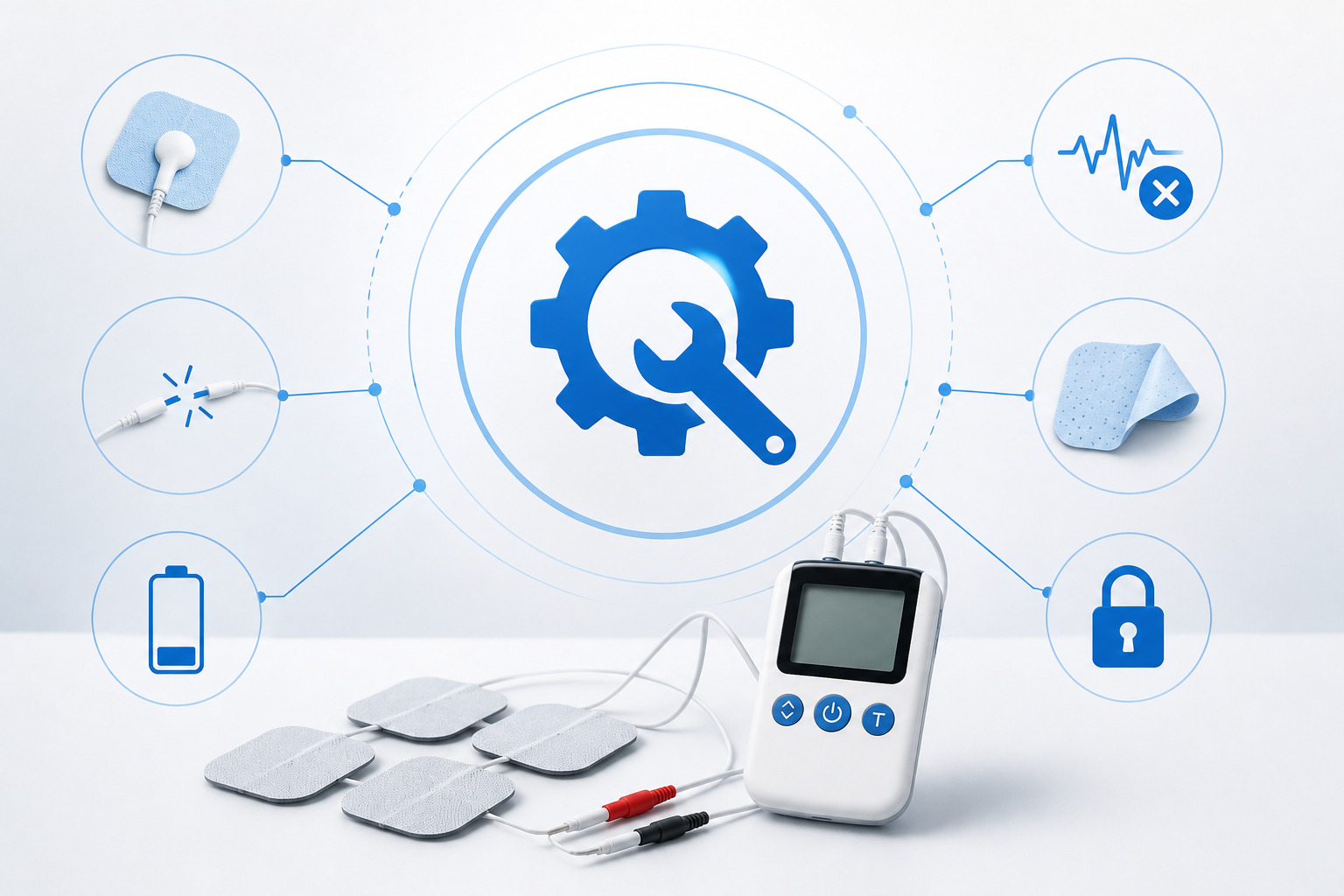
TENS Machine Troubleshooting: Common Problems and How to Fix Them
A TENS machine is designed to be relatively simple to use, but small problems with the battery, electrode pads, leads, settings or skin contact can affect how it feels or whether it works properly. If your TENS machine isn’t working, feels weak, keeps stopping or suddenly feels uncomfortable, don’t immediately assume the device is faulty. Many common problems have straightforward causes. TENS stands for transcutaneous electrical nerve stimulation. It delivers mild electrical impulses through electrodes placed on the skin and may provide temporary pain relief for some people. The NHS notes that TENS does not work for everyone. (nhs.uk) For beginners, our TENS Machine Guide for Beginners explains how a TENS unit should normally be set up and used.
Safety disclaimer: This guide is for general information and is not a substitute for medical advice or the instructions supplied with your device. If you experience burning, significant skin irritation, severe discomfort or an unexpected fault, stop using the machine and seek appropriate advice.
Quick Answer: Why Is My TENS Machine Not Working?
If your TENS machine isn’t working properly, check these things first:
- Battery or charge
- Electrode placement
- Electrode stickiness
- Skin cleanliness and dryness
- Lead connections
- Intensity setting
- Programme or mode
- Damaged wires or electrodes
- Loose connections
- Whether the device needs replacement pads
Leeds Teaching Hospitals specifically recommends checking the electrode pads, their stickiness and the battery when a TENS machine stops helping. (Leeds Teaching Hospitals NHS Trust)
TENS Machine Troubleshooting Checklist
Before going through individual problems, use this quick checklist.
If there is no sensation:
- Check the battery.
- Make sure the machine is switched on.
- Check that the leads are connected.
- Check that the electrode pads are firmly attached.
- Check that the pads haven’t dried out.
- Increase the intensity gradually.
- Replace worn electrodes if necessary.
If the sensation is weak:
- Check skin contact.
- Check the electrode pads.
- Clean and dry the skin.
- Check the battery.
- Check the leads.
- Try a slightly higher intensity if comfortable.
If the sensation is painful:
- Reduce the intensity.
- Switch the machine off.
- Check that the electrodes are fully attached.
- Check their placement and spacing.
- Don’t continue if you experience burning or significant discomfort.
If the skin becomes irritated:
- Switch the machine off.
- Remove the electrodes.
- Check the skin.
- Don’t reapply to irritated or broken skin.
The NHS advises stopping TENS and removing the pads if the skin becomes itchy, irritated or red. (nhs.uk)
1. Why Is My TENS Machine Not Turning On?
If the display or indicator doesn’t come on, start with the power supply.
Check the battery
A depleted or incorrectly fitted battery is one of the simplest explanations. Depending on your device:
- Replace the battery.
- Check that it is inserted correctly.
- Make sure the battery compartment is closed properly.
- If rechargeable, charge the device fully.
Some TENS machines use replaceable batteries, while others are rechargeable.
Check the power button
Make sure the machine is actually switched on. Some devices use:
- A physical switch
- A dial
- A long press
- A central button
- A remote control
Check your specific manual rather than assuming the controls work like another TENS machine.
Check for damage
If the machine still doesn’t turn on after checking the battery or charge, don’t attempt to open or repair the electronics yourself. Contact the manufacturer or seller if the device is under warranty.
2. Why Is My TENS Machine Not Giving Any Sensation?
If the machine turns on but you don’t feel anything, there are several possible explanations.
Check the intensity
The machine may simply be set too low. The NHS recommends gradually increasing the intensity until you feel a tingling sensation that isn’t painful. (nhs.uk)
Check the electrode connection
Make sure the leads are fully connected to: Machine → lead → electrode pad A loose connection can interrupt stimulation.
Check the electrode pads
If the pads aren’t sticking properly, electrical contact with the skin may be poor. Leeds Teaching Hospitals recommends checking whether the pads are in place and sticking properly when TENS stops helping. (Leeds Teaching Hospitals NHS Trust)
Check the battery
A weak battery can reduce or eliminate the sensation.
3. Why Does My TENS Machine Feel Weak?
A weak TENS sensation doesn’t necessarily mean the machine is broken. Try checking:
1. Electrode contact
Make sure the pads are firmly attached.
2. Skin preparation
The skin should be clean and dry. Lotions, oils and other products can interfere with electrode contact.
3. Pad condition
Old or dried-out electrodes may not make good contact.
4. Battery
Try replacing or recharging the battery.
5. Intensity
Gradually increase the intensity if the sensation remains comfortable. Leeds Teaching Hospitals lists pad contact, pad stickiness, battery condition and intensity among the things to check when TENS stops helping. (Leeds Teaching Hospitals NHS Trust) For more information, read Why a TENS Machine Feels Weak.
4. Why Is One TENS Channel Not Working?
This problem mainly applies to dual-channel TENS machines. If Channel 1 works but Channel 2 doesn’t, don’t immediately assume the entire machine has failed. Check:
- Is Channel 2 switched on?
- Is the intensity set too low?
- Is the second lead connected properly?
- Are both electrode pads attached?
- Are the pads still sticky?
- Is the lead damaged?
- Does the problem follow the lead when you swap connections, if your manufacturer’s instructions permit that test?
If one specific lead or electrode consistently fails while another works, the accessory may be the problem. Don’t use damaged leads with exposed wires. The supplied Healthcare World 3-in-1 and Totally TENS models both have dual-channel functionality, so these checks are particularly relevant to those types of devices. Read One TENS Channel Not Working.
5. Why Does My TENS Machine Keep Turning Off?
If your TENS machine repeatedly switches off, check:
Battery
A low battery is an obvious possibility. Recharge the device or replace the battery according to the manufacturer’s instructions.
Timer
Some TENS machines automatically stop after the selected treatment period. Check whether you’ve accidentally activated a timer.
Loose connections
A loose lead or connection could interrupt operation.
Automatic safety features
Some devices may stop if electrode contact is inadequate. Check your manual to see whether your model has this feature. If the machine continues switching off unexpectedly after you’ve checked the obvious causes, stop using it and contact the manufacturer or seller. Read Why a TENS Machine Keeps Turning Off.
6. Why Are My TENS Pads Not Sticking?
This is one of the most common practical problems. Electrode pads gradually lose their adhesive properties through repeated use.
First check how you’re storing them
After use, put reusable electrodes back onto their protective plastic sheet as instructed. Keep them clean and protected. Alder Hey Children’s Hospital advises returning reusable pads to the plastic sheet after use and replacing them when they are no longer sticky. (Alder Hey Children’s Hospital Trust)
Check whether they have dried out
Some electrode pads can become less effective when they dry. Leeds Teaching Hospitals notes that if pads lose their stickiness, gently rubbing the sticky side with a small amount of cold water may help; the pads should not be connected to the TENS machine while doing this. (Leeds Teaching Hospitals NHS Trust) Follow your own electrode manufacturer’s instructions, however, because pad designs differ.
Replace worn electrodes
If the pads repeatedly lose adhesion, replacement is usually the simplest solution.
7. Why Does My TENS Machine Feel Like It Is Zapping Me?
TENS should normally feel like a tingling, pulsing or buzzing sensation, rather than sharp or painful shocks. If you feel an unpleasant electrical “zap”:
Switch the machine off.
Then check:
- Electrode contact
- Electrode condition
- Lead connections
- Pad placement
- Intensity level
Poor electrode contact can cause unpleasant sensations. Gloucestershire Hospitals notes that electrodes should be firmly attached because poor contact can produce unpleasant electrical sensations and increase skin irritation. (Gloucestershire Hospitals Trust) Don’t simply turn the intensity higher to compensate.
8. Why Does TENS Feel Stronger in One Area?
It is normal for different parts of the body to feel stimulation differently. Factors can include:
- Skin sensitivity
- Electrode position
- Electrode contact
- Distance between electrodes
- Intensity
- Individual sensation
If one area feels significantly stronger or uncomfortable, reduce the intensity and check the electrode placement. If the sensation becomes painful, switch the machine off.
9. Why Does My TENS Machine Cause Burning?
Burning is not a sensation you should simply tolerate. Switch the machine off immediately and remove the electrodes. Check the skin. Possible contributors can include:
- Excessive intensity
- Poor electrode contact
- Worn electrodes
- Incorrect placement
- Electrodes being too close together
- Prolonged use
The Royal National Orthopaedic Hospital warns that TENS can cause burns or significant skin damage if the current is too high, electrodes are incorrectly positioned or too close together, or the device is used for long periods without appropriate breaks. (Royal National Orthopaedic Hospital) If you notice significant burns, blistering or persistent skin damage, seek medical attention.
10. Why Is My Skin Red After TENS?
Mild temporary redness can occur after electrodes are removed, but persistent irritation shouldn’t be ignored. The NHS advises stopping the machine and removing the pads if the skin becomes itchy, irritated or red. (nhs.uk) Cambridge University Hospitals also recommends checking the skin under the electrodes and moving the electrode position if redness or soreness develops. (Cambridge University Hospitals) Possible causes include:
- Adhesive sensitivity
- Repeated placement in exactly the same location
- Poor-quality or worn electrodes
- Excessive stimulation
- Prolonged use
Don’t place electrodes over irritated or broken skin.
11. Why Does My TENS Machine Work on One Side but Not the Other?
If you’re using a dual-channel machine, one side may have better electrode contact. Check: Channel → Lead → Electrode → Skin for both sides. Also check whether the intensity settings are different. For example: CH1 = intensity 8 CH2 = intensity 3 would naturally feel different. If both channels are set similarly but one side still produces no sensation, test the connections according to the manufacturer’s instructions.
12. Why Does My TENS Machine Stop Helping?
Sometimes the machine is working correctly but the sensation or perceived benefit has changed. First check the basics:
- Pads still sticking?
- Battery charged?
- Electrodes positioned correctly?
- Intensity still appropriate?
- Leads securely connected?
Leeds Teaching Hospitals recommends checking these factors when TENS stops helping. (Leeds Teaching Hospitals NHS Trust) It’s also important to remember that TENS doesn’t work for everyone. (nhs.uk) If your pain is new, worsening or unexplained, don’t simply keep increasing the intensity. Seek appropriate medical advice.
13. Why Do My TENS Pads Feel Uncomfortable?
Electrode discomfort can come from several sources.
Check the pad
If it’s old, damaged or partially detached, replace it.
Check the skin
Make sure the skin is clean and dry.
Check the intensity
Reduce it if the sensation is uncomfortable.
Check the position
The pads may be positioned incorrectly for your particular treatment. A healthcare professional can help if you’re unsure where your electrodes should be placed. The NHS specifically recommends seeking professional advice if you’re uncertain about electrode positioning. (nhs.uk)
14. Why Are My TENS Electrodes Not Working Even Though They Look Fine?
Electrode pads can appear normal but still have poor conductivity or adhesion. Possible reasons include:
- They have been used many times.
- The gel has dried.
- They have been stored incorrectly.
- They have accumulated dirt.
- They aren’t making full contact with the skin.
If cleaning or rehydrating according to the manufacturer’s instructions doesn’t restore proper adhesion, replace the pads.
15. Why Does My TENS Machine Work Intermittently?
If stimulation comes and goes, check for:
Loose leads
Make sure all connectors are properly inserted.
Poor pad contact
The pads should remain firmly attached.
Movement
Movement can cause an electrode to partially detach.
Battery
A low battery can cause unreliable operation.
Damaged accessories
Look for cracks, frayed wires or damaged connectors. Alder Hey advises checking wires for cracks or exposed wires and replacing damaged components rather than continuing to use them. (Alder Hey Children’s Hospital Trust)
16. What If the TENS Machine Suddenly Stops During a Session?
Don’t panic. First: 1. Switch the device off. 2. Check the battery/charge. 3. Check the leads. 4. Check the electrode pads. 5. Check whether the timer has ended. 6. Restart according to the manufacturer’s instructions. If it repeatedly stops despite having adequate power and good connections, discontinue use and contact the manufacturer.
17. What If the TENS Display Works but the Machine Doesn’t Stimulate?
This usually points towards a connection, electrode or setting issue rather than a completely dead device. Check:
- Intensity
- Programme
- Channel selection
- Electrode connections
- Lead connections
- Pad contact
- Battery
If the display works but there is still no stimulation after these checks, consult the manufacturer’s troubleshooting instructions. Don’t dismantle the device yourself.
18. What If the TENS Remote Isn’t Working?
This applies particularly to wireless TENS machines. Check:
Battery or charge
The remote may have its own power source.
Connection
Some wireless systems require the controller and electrode unit to establish a connection.
Range
Stay within the operating range specified by the manufacturer.
Controls
Make sure the device isn’t locked.
Re-pairing
If your model supports pairing, follow the manufacturer’s instructions to reconnect the units. The Healthcare World Wireless TENS Machine supplied for this project uses a remote-controlled wireless design, so these checks are particularly relevant to that type of device.
19. What If My Wireless TENS Machine Disconnects?
A wireless TENS machine can have problems that don’t occur with a traditional wired device. Check:
- Battery level
- Remote connection
- Electrode contact
- Device position
- Whether the wireless units need reconnecting
- Whether the machine has entered a safety or standby mode
Don’t assume that moving the controller closer will solve every problem. Follow the specific instructions for your model. For more information, read Wireless TENS Machines.
20. What If My Rechargeable TENS Machine Won’t Charge?
First check:
- Charging cable
- Charging connection
- Power source
- Charging indicator
- Battery level
- Manufacturer’s charging instructions
Try a different compatible power source if the manual permits it. Don’t use a damaged charging cable. If the device becomes unusually hot, smells unusual or shows signs of battery damage, stop using it and contact the manufacturer. Read Rechargeable TENS Machines.
21. What If My TENS Machine Has a Faulty Lead?
Inspect the lead for:
- Cuts
- Cracks
- Exposed wires
- Bent connectors
- Loose plugs
- Visible damage
If a lead is damaged, don’t continue using it. Alder Hey advises checking wires for cracks or exposed wires and replacing damaged leads. (Alder Hey Children’s Hospital Trust) Use only compatible replacement leads recommended by the manufacturer.
22. What If My Electrode Pads Are Completely Dry?
Dry electrode pads may no longer provide good contact. Some pad types can be refreshed according to manufacturer instructions, but don’t assume every electrode can be treated the same way. Leeds Teaching Hospitals provides specific guidance for its supplied pads, including gently moistening the sticky side with a small amount of cold water when needed. (Leeds Teaching Hospitals NHS Trust) If the pads remain ineffective, replace them.
23. What If My TENS Machine Feels Different Than It Used To?
A change in sensation can happen for several reasons. Check:
- Electrode condition
- Skin condition
- Electrode position
- Battery
- Intensity
- Programme
- Lead condition
You may also become accustomed to a particular sensation over time. Don’t automatically keep increasing the intensity. The Royal National Orthopaedic Hospital recommends starting low and gradually increasing stimulation until it feels strong but comfortable; if it becomes painful or uncomfortable, reduce it. (Royal National Orthopaedic Hospital)
24. TENS Troubleshooting Table
| Problem | Things to check |
|---|---|
| Machine won’t turn on | Battery, charging, power button |
| No sensation | Intensity, battery, leads, pads |
| Weak sensation | Pad contact, battery, intensity |
| One channel not working | Channel setting, lead, electrodes |
| Machine keeps turning off | Battery, timer, connections |
| Pads won’t stick | Pad condition, storage, replacement |
| Burning sensation | Stop immediately; check intensity and pads |
| Skin irritation | Remove pads and stop using on irritated skin |
| Intermittent stimulation | Leads, pad contact, battery |
| Remote not responding | Battery, connection, pairing |
| Wireless connection drops | Battery, connection, electrode contact |
| Device won’t charge | Cable, charger, connection, battery |
| Lead looks damaged | Stop using and replace |
| TENS suddenly stops helping | Pads, battery, placement, intensity |
How to Troubleshoot TENS Electrode Problems
Because electrodes cause many common problems, use this simple sequence:
Step 1: Switch off the machine
Always switch the machine off before applying or removing electrodes. (Cambridge University Hospitals)
Step 2: Remove the pads
Check them for:
- Damage
- Dirt
- Dryness
- Loss of adhesion
Step 3: Check your skin
It should be clean, dry and intact.
Step 4: Check the leads
Make sure they aren’t damaged.
Step 5: Reconnect
Connect everything securely while the machine remains switched off.
Step 6: Reapply
Place the pads according to your manufacturer’s instructions.
Step 7: Restart at low intensity
Gradually increase the intensity to a comfortable tingling sensation.
How to Make TENS Pads Last Longer
Proper electrode care can prevent many problems.
Store them correctly
Return reusable electrodes to their protective backing after use. (Alder Hey Children’s Hospital Trust)
Keep the skin clean
Avoid applying lotions or oils before placing electrodes.
Don’t touch the adhesive unnecessarily
Handling the sticky surface can reduce its useful life.
Check the pads regularly
If they’re no longer sticking properly, replace them.
Don’t force old pads to work
Poor electrode contact can make stimulation uncomfortable as well as ineffective.
What If TENS Suddenly Becomes Painful?
Stop. TENS should not be painful. Switch the machine off and remove the electrodes. Then check:
- Intensity
- Pad contact
- Pad condition
- Electrode placement
- Lead condition
If the problem continues, don’t keep experimenting with higher settings. The Royal National Orthopaedic Hospital advises reducing intensity if stimulation becomes painful or uncomfortable. (Royal National Orthopaedic Hospital)
What If TENS Doesn’t Seem to Be Helping My Pain?
This is different from a machine fault. TENS does not work for everyone. (nhs.uk) If your machine appears to be functioning correctly but you’re not experiencing useful relief, consider:
- Whether the electrode placement is appropriate
- Whether the programme is suitable
- Whether the intensity is comfortable
- Whether you’ve been using it according to instructions
If you’re dealing with new, worsening or unexplained pain, speak with an appropriate healthcare professional rather than repeatedly changing TENS settings.
Common TENS Troubleshooting Mistakes
Turning the Intensity Up Too Quickly
More stimulation isn’t automatically better.
Continuing Despite Burning
Burning is a reason to stop and investigate the problem.
Using Old Electrodes Forever
Worn pads can cause poor contact.
Ignoring Damaged Leads
Never continue using visibly damaged wires.
Putting Pads on Irritated Skin
The NHS advises against using TENS on irritated, broken or infected skin. (nhs.uk)
Assuming the Machine Is Broken
Check the battery, pads and connections first.
Repositioning Pads While the Machine Is On
Switch the machine off before moving electrodes. (Cambridge University Hospitals)
Using TENS in Unsafe Situations
Don’t use it while sleeping, bathing, showering, driving or operating machinery. (nhs.uk)
When Should You Stop Troubleshooting and Get Help?
Some problems shouldn’t be solved by trial and error. Stop using the device and seek appropriate advice if:
- You experience burning or significant skin damage.
- You develop persistent irritation.
- The device repeatedly malfunctions.
- A lead is damaged.
- The machine becomes unusually hot.
- The battery appears damaged.
- You experience unusual or severe symptoms.
- Your pain is new, unexplained or getting worse.
If you aren’t sure whether TENS is appropriate for you, speak to a healthcare professional. The NHS advises checking with a healthcare professional if you’re unsure about TENS, particularly because it isn’t suitable for everyone. (nhs.uk)
TENS Safety Checks Before Every Session
Before switching on your machine, quickly check: ✓ Skin is clean and dry ✓ Skin isn’t broken or irritated ✓ Pads are in good condition ✓ Pads are correctly positioned ✓ Leads are intact ✓ Battery is charged ✓ Machine is switched off while applying pads ✓ Intensity starts low ✓ You know how to stop the machine This takes only a few seconds and can prevent many common problems.
FAQs
Why isn’t my TENS machine working?
Check the battery, intensity, electrode pads, leads and connections. Poor electrode contact is a common reason for weak or absent stimulation. (Leeds Teaching Hospitals NHS Trust)
Why does my TENS machine feel weak?
Check the battery, electrode contact, pad condition and intensity. Worn or poorly attached pads can reduce stimulation.
Why is one TENS channel not working?
Check the channel setting, lead, electrode pair and intensity. If one specific lead consistently fails, it may need replacement.
Why does my TENS machine keep turning off?
Check the battery and timer first. A loose connection or device fault may also be responsible.
Why aren’t my TENS pads sticking?
They may be worn or dried out. Store reusable pads on their protective backing and replace them when they no longer adhere properly. (Alder Hey Children’s Hospital Trust)
Why does my TENS machine hurt?
TENS should feel strong but comfortable, not painful. Switch it off and check the intensity, electrode placement, pad condition and connections. (Royal National Orthopaedic Hospital)
Why does TENS feel like an electric shock?
Poor electrode contact, damaged pads, loose connections or excessive intensity can contribute to unpleasant sensations. Stop using the machine and check these factors.
Can TENS cause burns?
Yes, incorrect use can cause skin damage or burns. Excessive current, incorrect electrode placement, electrodes being too close together and prolonged use can contribute to the risk. (Royal National Orthopaedic Hospital)
Why is my skin red after TENS?
The adhesive or stimulation may irritate the skin. Remove the electrodes and don’t reapply them to irritated skin. (nhs.uk)
Can I use TENS on irritated skin?
No. The NHS advises against using TENS on irritated, broken or infected skin. (nhs.uk)
Can I move the electrode pads while the machine is on?
No. Switch the machine off before applying or removing electrodes. (Cambridge University Hospitals)
Can I use TENS while sleeping?
No. The NHS advises against using TENS while sleeping. (nhs.uk)
Can I use TENS in the shower?
No. TENS should not be used in the bath or shower. (nhs.uk)
Can I drive while using TENS?
No. The NHS advises against using TENS while driving or operating machinery. (nhs.uk)
Can I use TENS if I have a pacemaker?
The NHS advises against using TENS if you have a pacemaker. (nhs.uk)
Can I use TENS if I have epilepsy?
The NHS advises against using TENS if you have epilepsy. (nhs.uk)
The Bottom Line: Fixing Common TENS Machine Problems
Most everyday TENS problems come down to a few basic things: Battery → Pads → Leads → Placement → Intensity → Settings If your TENS machine isn’t working, check those in that order before assuming the device is faulty. If the sensation is weak, check the electrodes and battery. If one channel isn’t working, check the individual lead, electrode pair and channel settings. If the machine keeps turning off, check the battery, timer and connections. If you experience burning, significant irritation or unexpected pain, stop using the machine rather than trying to overcome the problem by increasing the intensity. And remember that TENS is not suitable for everyone and does not guarantee pain relief. (nhs.uk) If you’re looking for a new device, Explore TENS and EMS Machines. For more practical advice, visit the TENS Education Hub.
Related TensLeads Guides
- TENS Machine Guide for Beginners
- What Is a TENS Machine?
- How Does a TENS Machine Work?
- Best TENS Machine Features
- UK TENS Machine Buying Guide
- Wireless TENS Machines
- Rechargeable TENS Machines
- Dual-Channel TENS Machines
- Why a TENS Machine Feels Weak
- One TENS Channel Not Working
- Why a TENS Machine Keeps Turning Off
- How Long Should You Use a TENS Machine?
- Can You Use TENS Every Day?
- Can You Sleep with a TENS Machine?
- Is TENS Safe?
- TENS Contraindications
- TENS Side Effects
Medical Sources
- NHS — TENS guidance
- Cambridge University Hospitals — TENS advice
- Royal National Orthopaedic Hospital — TENS patient guide
- Leeds Teaching Hospitals — TENS for pain control
- Alder Hey Children’s Hospital — TENS guidance
Safety Disclaimer
This article is for general educational purposes only and does not provide medical diagnosis or personalised treatment advice. TENS is not suitable for everyone and does not guarantee pain relief. Always read and follow the instructions supplied with your device. If you have an implanted electrical device, epilepsy, are pregnant, have reduced sensation or have unexplained or persistent pain, consult an appropriate healthcare professional before using TENS.