
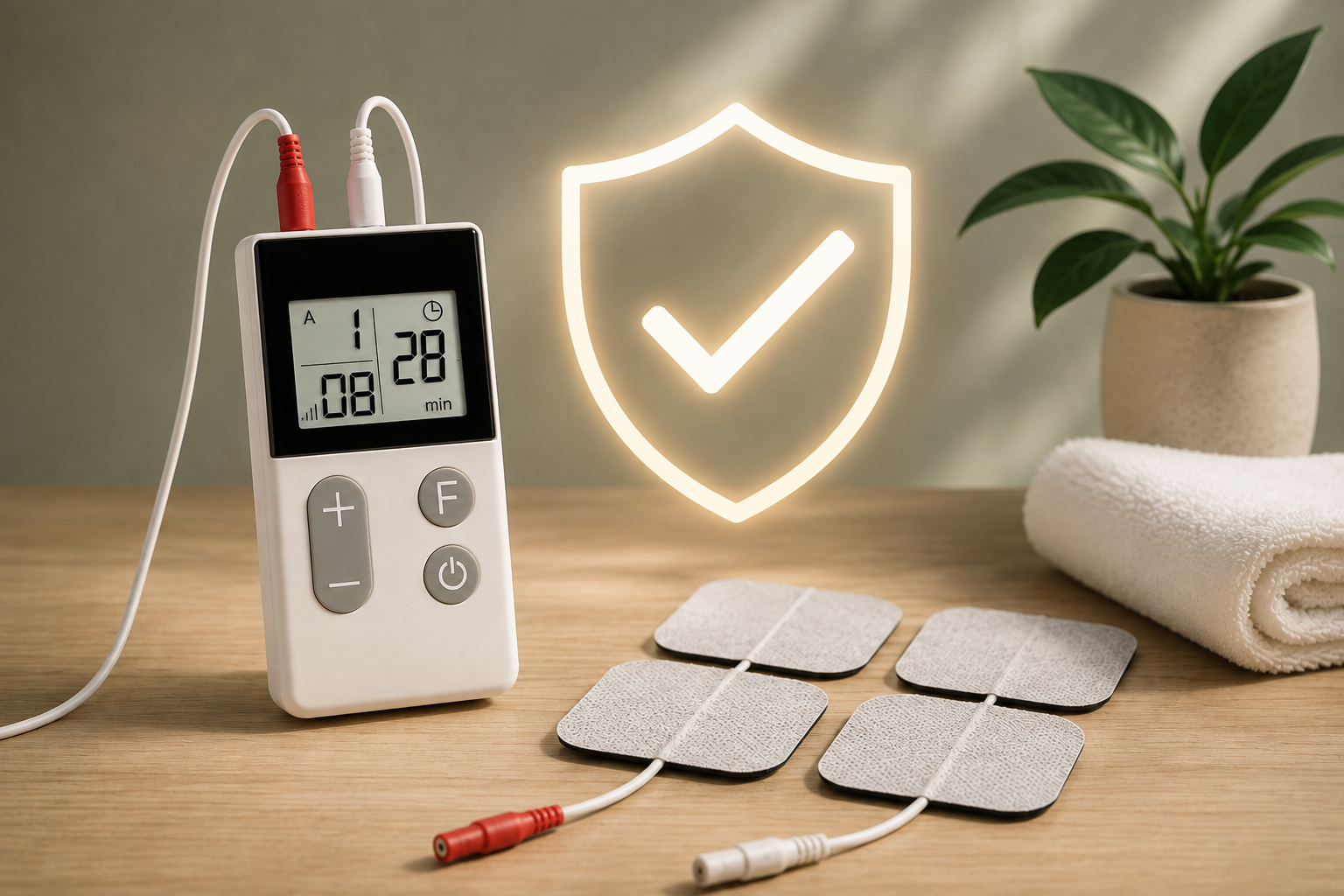
Wireless TENS Machines: A UK Guide to Choosing and Using One
A wireless TENS machine can make electrical nerve stimulation more convenient by reducing or removing the cables normally connecting a control unit to electrode pads. For people who find traditional wired TENS machines awkward, a wireless design can provide a more compact and flexible setup. TENS stands for transcutaneous electrical nerve stimulation. It delivers mild electrical impulses through electrodes placed on the skin and may provide temporary pain relief for some people. The NHS notes that TENS does not work for everyone and should be used according to appropriate safety guidance. If you’re new to TENS, start with our TENS Machine Guide for Beginners and What Is a TENS Machine?.
Safety disclaimer: This article is for general educational purposes and is not a substitute for personalised medical advice. Always follow the instructions supplied with your specific device. If you have a pacemaker or other implanted electrical device, epilepsy, are pregnant, or have another relevant medical condition, seek appropriate professional advice before using TENS.
Quick Answer: What Is a Wireless TENS Machine?
A wireless TENS machine is a TENS device that uses a wireless connection between the control system and the electrode units, rather than traditional cables running from a separate controller to the pads. The basic process remains: TENS device → electrical impulses → electrode pads → skin. The difference is mainly in how the device is controlled and connected. Wireless TENS machines can be particularly appealing if you want:
- Less cable clutter
- Greater freedom of movement during an appropriate session
- A compact design
- Easy portability
- A more discreet setup
- Fewer wires to manage
However, wireless does not mean unrestricted use. You should still follow the same safety precautions that apply to TENS generally.
How Does a Wireless TENS Machine Work?
TENS delivers electrical pulses through electrodes attached to the skin. You may feel:
- Tingling
- Pulsing
- Buzzing
- A gentle tapping sensation
The NHS explains that TENS may work by affecting pain signals travelling through nerves and encouraging the release of endorphins. The wireless component doesn’t fundamentally change the purpose of TENS. It changes the physical design of the device. For a more detailed explanation, read How Does a TENS Machine Work?.
Wireless vs Wired TENS Machines
The biggest difference is the connection between the control unit and electrodes.
| Feature | Wireless TENS | Wired TENS |
|---|---|---|
| Cables between controller and pads | Reduced or eliminated | Yes |
| Portability | Usually excellent | Usually good |
| Freedom from cables | High | Lower |
| Electrode connection | Wireless system | Lead cables |
| Setup | Can be simpler | Familiar traditional setup |
| Battery charging | Common on some models | Battery/rechargeable depending on model |
| Multiple channels | Depends on model | Common on dual-channel models |
| Main advantage | Convenience | Traditional control and flexibility |
Neither design is automatically better. A wireless TENS machine may be more convenient, while a wired dual-channel machine may provide more detailed independent controls.
Why Choose a Wireless TENS Machine?
1. Less Cable Clutter
This is the obvious advantage. Traditional TENS machines may have leads running from the controller to the electrodes. Wireless models reduce this cable management. That can make setup and storage easier.
2. Greater Freedom of Movement
With fewer cables connecting the electrodes to a separate controller, wireless TENS can feel less restrictive during appropriate stationary activities. However, freedom of movement doesn’t mean you should use TENS during every activity. The NHS advises against using TENS while driving or operating machinery.
3. Compact Design
Wireless TENS machines can be small enough to keep in:
- A handbag
- Backpack
- Work bag
- Drawer
- Travel case
4. Convenient for Travel
A wireless machine can be particularly convenient when travelling because there are fewer wires to organise. You may still need:
- Charging cable
- Electrode pads
- Remote/control unit
- Carrying case
- Instructions
5. Easier Setup
For some users, eliminating lead cables makes it easier to understand where everything goes. This can be particularly useful for beginners.
Wireless Does Not Mean Wearable
The terms wireless, portable and wearable are sometimes used interchangeably in product descriptions, but they aren’t necessarily identical.
Portable
Means the device is designed to be carried easily.
Wireless
Means the connection between the controller and electrodes doesn’t rely on traditional cables.
Wearable
Usually means the device or electrode unit is designed to be worn on the body during use. A machine can be:
- Portable but wired
- Wireless but not particularly small
- Wireless and wearable
- Rechargeable but wired
So look at the actual product design rather than relying on the label.
Wireless TENS Machines and Rechargeable Batteries
Wireless TENS machines often use rechargeable power because the electrode units and controller need their own power source. But wireless and rechargeable are separate features. A machine can theoretically be wireless without being rechargeable. The Healthcare World Wireless TENS Machine supplied for this project combines both:
- Wireless operation
- Rechargeable battery
- Digital display
- 15 automated TENS programmes
- 16 intensity levels
- Adhesive electrodes
- Portable design
For more information about rechargeable devices, read Rechargeable TENS Machines.
How Long Does a Wireless TENS Machine Battery Last?
Battery life varies between models. It can also depend on:
- Intensity level
- Programme
- Usage frequency
- Display
- Wireless connection
- Battery age
Don’t assume that every wireless TENS machine has the same runtime. Before buying, check the manufacturer’s stated:
- Battery runtime
- Charging time
- Charging method
- Battery indicator
- Expected battery life
A battery indicator can be especially useful because wireless devices may contain multiple powered components.
What Features Should You Look For?
Adjustable Intensity
Look for a device that allows you to adjust the stimulation gradually. The NHS recommends starting at a low level and increasing the current slowly until you feel a tingling sensation that isn’t painful.
Multiple Programmes
Some wireless devices offer multiple preset programmes. The Healthcare World Wireless TENS Machine supplied for this project has 15 automated TENS programmes. More programmes can provide flexibility, but you don’t need to use every setting.
Intensity Levels
The number of available levels varies between devices. The Healthcare World Wireless model has 16 intensity levels. The important thing is whether the machine provides enough adjustment for comfortable use.
Timer
A timer can help you manage session duration and avoid accidentally leaving the machine running.
Digital Display
A clear display can show information such as:
- Programme
- Intensity
- Battery
- Timer
This makes the device easier to operate.
Electrode Quality
The electrode pads are a critical part of the system. Check:
- Size
- Adhesive quality
- Reusability
- Replacement availability
- Compatibility
Rechargeable Power
If you use TENS frequently, rechargeable power can be convenient.
Carrying Case
A case can keep the machine, electrodes and charging accessories together.
Wireless TENS Machine vs Traditional Dual-Channel TENS
Both can be useful, but they prioritise different things.
Wireless TENS
Focuses on: Portability + fewer cables + convenience
Dual-channel wired TENS
Focuses on: Multiple treatment areas + independent channel control
For example, the Healthcare World Wireless machine supplied for this project provides wireless operation, while the Healthcare World 3-in-1 and Totally TENS machines provide traditional dual-channel functionality. If you regularly want to treat two suitable areas independently, a dual-channel machine may be more appropriate. If your main concern is cable clutter, wireless may be more attractive. Read Dual-Channel TENS Machines for a detailed comparison.
Wireless TENS Machine for Home Use
Wireless TENS can be convenient for use around the home. You can keep the machine stored in one place and bring it out when required. For example, you might use it while:
- Sitting on a sofa
- Resting in a chair
- Reading
- Relaxing
provided the activity is appropriate and the manufacturer’s instructions allow it. Don’t confuse convenience with unrestricted use. You should not use TENS:
- While sleeping
- In the bath or shower
- While driving
- While operating machinery
The NHS advises against these uses.
Wireless TENS Machines for Work
One reason people may prefer wireless TENS is that there are fewer cables to manage. If you’re using TENS during a suitable break at work, a wireless device may be easier to set up than a wired alternative. However, TENS should never interfere with your ability to work safely. Do not use it while:
- Driving for work
- Operating machinery
- Performing safety-critical tasks
- Doing activities that require your full attention
The NHS specifically advises against using TENS while driving or operating machinery.
Wireless TENS Machines for Travel
Wireless TENS machines can be particularly convenient for travel. Before leaving, check that you have:
- Machine
- Remote/control unit
- Electrode pads
- Charging cable
- Power adapter if necessary
- Carrying case
Charge before travelling
A wireless TENS machine is only useful if it has enough battery power.
Keep electrodes protected
Store adhesive pads as recommended by the manufacturer so that they retain their effectiveness.
Check transport rules
If your device contains a rechargeable lithium battery, follow the current airline and transport rules applicable to battery-powered electronics.
How to Use a Wireless TENS Machine
The exact controls vary by model, so always read your device’s instructions.
Step 1: Check That TENS Is Suitable
The NHS advises against TENS if you have epilepsy or a pacemaker and recommends speaking to a doctor or midwife before using it during pregnancy. Read our TENS Contraindications guide before using TENS if you’re unsure.
Step 2: Charge the Device
Make sure the machine has enough battery power.
Step 3: Prepare Your Skin
Clean and dry the area. Do not apply electrodes to broken, infected, irritated or numb skin.
Step 4: Position the Electrodes
Follow the manufacturer’s electrode-placement instructions. Don’t simply place the pads directly over every painful spot.
Step 5: Connect the Wireless Components
Follow the device’s instructions for pairing or connecting the controller and electrode units.
Step 6: Start at a Low Intensity
Turn the machine on and gradually increase the intensity. The sensation should be noticeable but comfortable.
Step 7: Select the Appropriate Programme
If your device has preset programmes, use the manufacturer’s recommendations.
Step 8: Set the Timer
Use the recommended treatment duration.
Step 9: Switch Off Before Removing Electrodes
Always switch the machine off before removing the pads. Cambridge University Hospitals recommends switching the machine off before applying or removing electrodes.
Where Should Wireless TENS Electrodes Be Placed?
Wireless operation doesn’t change electrode-placement safety. The NHS advises against placing electrodes:
- On the neck
- On the mouth
- Near the eyes
- On broken or infected skin
- On numb areas
- On the chest and back simultaneously
It also recommends keeping electrodes apart rather than placing them directly next to each other. Cambridge University Hospitals advises keeping electrodes at least 2 cm apart and avoiding placement near or over the heart. Always prioritise the instructions provided with your particular machine.
Can You Move Around While Using Wireless TENS?
Wireless TENS gives you greater freedom from cables, but it doesn’t mean you should use it during all activities. You may be able to use it while performing appropriate low-risk activities, depending on the device. However, don’t use TENS while:
- Driving
- Operating machinery
- Swimming
- Bathing
- Showering
The NHS advises against these uses. If you are unsure whether a particular activity is appropriate, use the machine while stationary.
Can You Sleep With a Wireless TENS Machine?
No. Wireless technology doesn’t make TENS suitable for overnight use. The NHS advises against using TENS while sleeping. If you use TENS before bed, switch it off before falling asleep. Read Can You Sleep with a TENS Machine?.
Can You Use a Wireless TENS Machine Every Day?
Some people use TENS regularly, including daily use where appropriate. However, frequency and duration should depend on:
- Your individual circumstances
- The device instructions
- Your response to treatment
- Skin tolerance
If you use TENS frequently, check your skin underneath the electrodes. Cambridge University Hospitals advises monitoring the skin and moving electrode positions if redness or soreness develops. Read Can You Use TENS Every Day?.
How Long Should You Use a Wireless TENS Machine?
There isn’t one universal session length. The correct duration depends on your specific device and circumstances. Cambridge University Hospitals suggests starting with 30–60-minute periods and increasing use if helpful. Always follow your own manufacturer’s instructions. Read How Long Should You Use a TENS Machine?.
Are Wireless TENS Machines Safe?
Wireless TENS machines are subject to the same basic TENS safety considerations as wired models. The wireless design does not remove contraindications or electrode-placement restrictions. The NHS advises against TENS if you have:
- A pacemaker
- Epilepsy
and recommends professional advice during pregnancy. You should also avoid using TENS over unsuitable areas or damaged skin. The Royal National Orthopaedic Hospital notes that incorrect electrode positioning, excessive current and prolonged use can cause skin damage or burns. Read Is TENS Safe? and TENS Side Effects for more information.
Common Wireless TENS Machine Mistakes
Assuming Wireless Means Safe Anywhere
Wireless only describes the connection. It doesn’t make TENS safe for use in water, while sleeping or while driving.
Using It While Charging
Check the manufacturer’s instructions before using a device while connected to a charger.
Putting Pads on the Wrong Areas
Follow the recommended electrode positions.
Increasing Intensity Too Quickly
Start low and increase gradually.
Ignoring Skin Irritation
Remove the electrodes if your skin becomes irritated.
Forgetting to Charge It
A wireless rechargeable device needs regular charging.
Losing the Remote
Some wireless systems depend on a controller, so keep the remote with the main unit.
Assuming Wireless Means Waterproof
Unless the manufacturer specifically states otherwise, keep the device away from water.
Three TENS Machines Compared
The three machines supplied for this project demonstrate different designs.
| Feature | Healthcare World Wireless | Healthcare World 3-in-1 | Totally TENS TPN-Type |
|---|---|---|---|
| TENS | ✓ | ✓ | ✓ |
| Wireless | ✓ | — | — |
| Rechargeable | ✓ | Not specified | Not specified |
| Intensity levels | 16 | 40 | Adjustable |
| Programmes/modes | 15 automated programmes | 28 therapy modes listed | Burst, Normal, Modulation |
| Dual channel | Not presented as traditional dual-channel | ✓ | ✓ |
| EMS | — | ✓ | Product description includes EMS/TENS functionality |
| Electrodes | Adhesive electrodes | 4 | Included |
| Display | Digital | Digital | LED |
| Main strength | Wireless convenience | TENS + EMS + dual channel | Traditional dual-channel control |
Product note: This table is based on the product information supplied for this project. Product specifications and availability may change, so verify current manufacturer information before purchase.
What Are the Best Features in a Wireless TENS Machine?
There isn’t one feature that makes a machine “best”. Instead, consider the combination of:
Wireless connection
Reduces cable clutter.
Intensity adjustment
Allows you to find a comfortable stimulation level.
Multiple programmes
Provides flexibility where appropriate.
Rechargeable battery
Convenient for regular use.
Battery indicator
Helps prevent unexpected loss of power.
Timer
Makes session management easier.
Clear display
Helps you monitor settings.
Good electrode pads
Reliable skin contact is important.
Replacement electrodes
Essential for continued use.
Simple controls
Particularly valuable for beginners.
Wireless TENS Machine Buying Checklist
Before buying, ask:
✓ Is it genuinely wireless? Check whether cables are completely eliminated or simply reduced.
✓ Is it rechargeable? If so, check charging time and battery life.
✓ How many intensity levels are available? Look for easy adjustment rather than simply a large number.
✓ How many programmes are included? More isn’t always better.
✓ Does it have a timer? Useful for managing sessions.
✓ Is the display easy to read? Check whether you can clearly see the programme and intensity.
✓ Are replacement electrodes available? This matters for long-term use.
✓ Is it easy to carry? Consider the complete kit, not just the machine.
✓ Is the controller easy to operate? A simple interface can make a major difference.
✓ Does it have the functions you actually need? Don’t pay extra for features you won’t use.
Wireless TENS vs Rechargeable TENS
These terms shouldn’t be confused. Wireless refers to the connection between the control system and electrodes. Rechargeable refers to the power source. A TENS machine can be:
- Wireless + rechargeable
- Wireless + battery powered
- Wired + rechargeable
- Wired + battery powered
The Healthcare World Wireless model supplied for this project is both wireless and rechargeable. Read Rechargeable TENS Machines if battery type is one of your main buying considerations.
Wireless TENS vs Dual-Channel TENS
These features address different needs.
| If you prioritise… | Consider… |
|---|---|
| Fewer cables | Wireless |
| Easy portability | Wireless |
| Independent treatment of two areas | Dual-channel |
| Independent channel intensity | Dual-channel |
| Four-electrode setup | Dual-channel |
| Rechargeable convenience | Rechargeable model |
| Simple operation | Fewer programmes/features |
Some devices may combine multiple features, so compare the actual specifications rather than the product name alone.
FAQs
What is a wireless TENS machine?
It’s a TENS machine that uses a wireless connection rather than traditional cables between the controller and electrode units.
Are wireless TENS machines better than wired ones?
Not necessarily. Wireless machines can be more convenient, while wired machines may provide features such as independent dual-channel control.
Do wireless TENS machines need batteries?
They need a power source. Some use rechargeable batteries, while others may use replaceable batteries.
Are wireless TENS machines rechargeable?
Many are, but not all. Check the specific manufacturer’s specifications.
Can wireless TENS machines be used every day?
Some people use TENS regularly, but frequency should follow the manufacturer’s instructions and individual circumstances.
Can you sleep with a wireless TENS machine?
No. NHS guidance advises against using TENS while sleeping.
Can you shower with a wireless TENS machine?
No. TENS should not be used in the bath or shower.
Can you drive with a wireless TENS machine?
No. The NHS advises against using TENS while driving or operating machinery.
Can wireless TENS be used while walking?
Wireless design reduces cable restrictions, but TENS should not be used during activities where stimulation could create a safety risk. When in doubt, use it while stationary.
Can I use wireless TENS on two areas at once?
Only if the specific device supports this configuration. Check whether it has dual channels or another suitable multi-electrode setup.
How far apart should TENS electrodes be?
Spacing depends on the machine and treatment area. Cambridge University Hospitals recommends keeping electrodes at least 2 cm apart.
Can I put wireless TENS electrodes on my neck?
The NHS advises against placing TENS electrodes on the neck.
Can I use TENS if I have a pacemaker?
The NHS advises against using TENS if you have a pacemaker.
Does wireless TENS provide stronger pain relief?
Wireless design doesn’t inherently make TENS stronger or more effective. Its primary advantage is convenience.
How long should I use wireless TENS?
Follow the instructions for your device. Some NHS guidance suggests starting with 30–60-minute sessions, but recommendations vary.
The Bottom Line: Are Wireless TENS Machines Worth It?
A wireless TENS machine can be a convenient option if you want fewer cables, easy portability and a simpler setup. The main advantages include:
- Less cable clutter
- Portable design
- Convenient setup
- Greater freedom from wires
- Rechargeable options
- Compact storage
- Easy travel
The main thing to remember is that wireless technology is primarily about convenience, not automatically better pain relief. When comparing wireless TENS machines, look at: Wireless design + intensity control + programmes + battery + electrode quality + timer + display + ease of use. And don’t let the wireless design encourage unsafe use. TENS should not be used while sleeping, driving or in water, and it isn’t suitable for everyone. Ready to compare available options? Explore TENS and EMS Machines. For more practical information, visit the TENS Education Hub.
Related TensLeads Guides
- TENS Machine Guide for Beginners
- What Is a TENS Machine?
- How Does a TENS Machine Work?
- Portable TENS Machines
- Rechargeable TENS Machines
- Dual-Channel TENS Machines
- How Long Should You Use a TENS Machine?
- Can You Use TENS Every Day?
- Can You Sleep with a TENS Machine?
- Is TENS Safe?
- TENS Contraindications
- TENS Side Effects
- TENS vs Heat Therapy
Medical Sources
- NHS — TENS guidance
- Cambridge University Hospitals — TENS for pain relief
- Royal National Orthopaedic Hospital — TENS patient guide
- Leeds Teaching Hospitals — TENS for pain control
Safety Disclaimer
This article is for general educational purposes only and does not provide medical diagnosis or personalised treatment advice. TENS is not suitable for everyone and does not guarantee pain relief. Always read and follow the instructions supplied with your device. If you have an implanted electrical device, epilepsy, are pregnant, have reduced sensation or have unexplained or persistent pain, consult an appropriate healthcare professional before using TENS.