
TENS Machine Settings Explained: A Practical Guide
Understanding TENS machine settings can make it easier to use your device confidently and comfortably.
Many TENS machines include controls for intensity, frequency, pulse width and treatment modes, which can seem confusing when you are using the device for the first time.
The best approach is to begin with the manufacturer’s recommended programme, keep the intensity low and increase it gradually until the sensation feels strong but comfortable. TENS may help some people manage pain, but it does not work for everyone and should not be considered a guaranteed cure.
This guide explains the main TENS machine settings, how to use them, common mistakes, important safety information and when to seek professional advice.
What is a TENS machine?
TENS stands for transcutaneous electrical nerve stimulation. A TENS machine is a small, battery-powered device that sends gentle electrical pulses through electrode pads placed on the skin.
These electrical pulses are designed to stimulate the nerves in the selected area. During use, you may feel tingling, pulsing or a mild tapping sensation. The exact feeling will depend on the programme, intensity and sensitivity of the individual user.
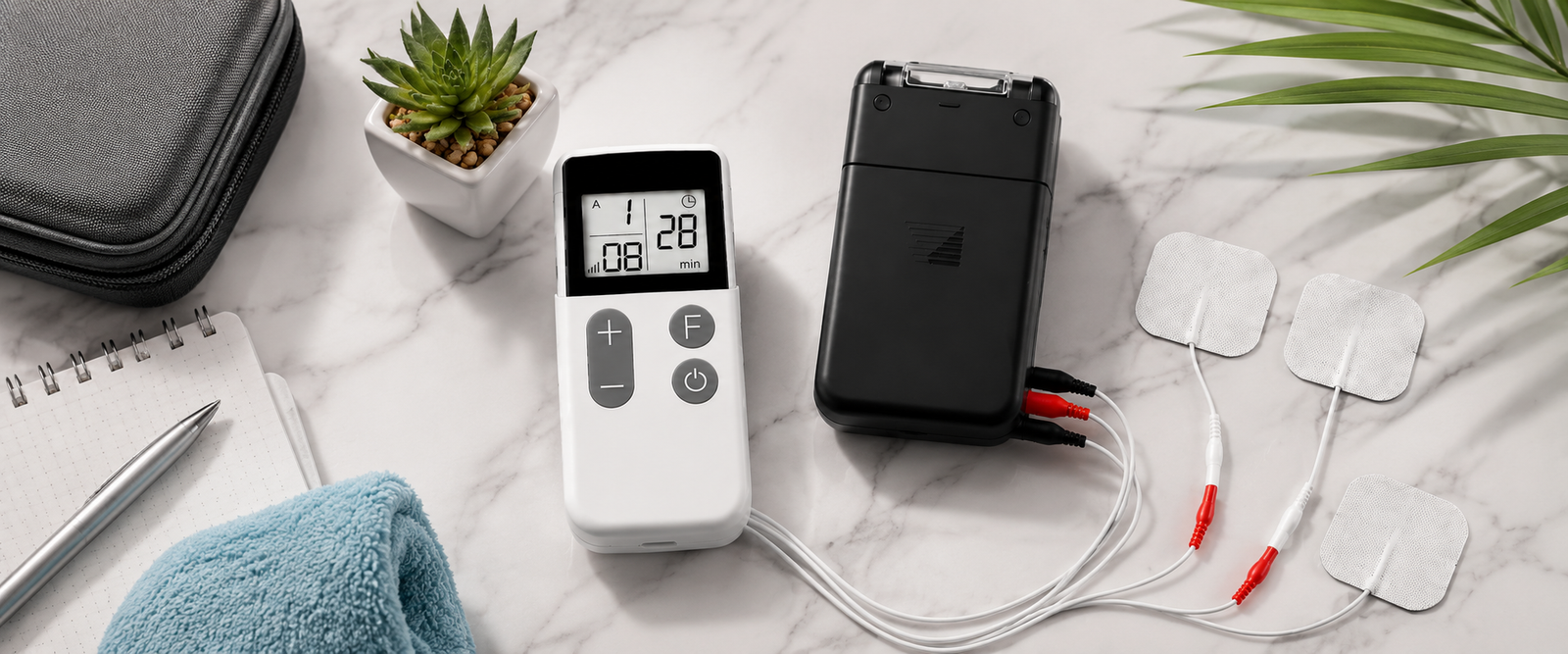
A typical TENS machine includes:
- a control unit;
- electrode pads;
- lead wires; and
- a battery or rechargeable power supply.
The electrode pads are connected to the control unit using the lead wires. Once the pads are positioned correctly, you can select a programme and adjust the stimulation using the controls.
TENS is generally used as part of a wider approach to managing pain. It should not be used to diagnose the cause of pain or to delay medical advice when symptoms are persistent, severe or worsening.
If you are new to TENS, visit the TensLeads home page for more information about TENS products and pain-management equipment.
How does TENS work?
A TENS machine delivers controlled electrical pulses through electrode pads attached to the surface of the skin. These pulses stimulate nerves in and around the area where the pads have been placed.
The sensation should usually be noticeable but comfortable. Depending on the selected programme, you may feel a continuous tingling sensation, individual pulses or mild muscle contractions.
TENS does not treat every type of pain in the same way. Some users may find it helpful for temporary pain relief, while others may experience little or no benefit. Results can depend on the type of pain, electrode placement, programme selected and individual sensitivity.
TENS should be viewed as a possible pain-management option rather than a replacement for medical assessment or treatment. If you are unsure about the cause of your symptoms, speak to a suitable healthcare professional.
TENS machine settings explained
The main settings found on many TENS machines include:
- frequency;
- pulse width;
- intensity;
- treatment mode; and
- session duration.
Not every device will include the same settings or adjustment ranges. The names used may also vary between manufacturers. Always read the instructions supplied with your specific device before changing the settings.
Frequency
Frequency describes how often the electrical pulses are delivered. It is usually measured in hertz, shown as Hz.
A higher frequency can feel like a quicker, more continuous tingling sensation. A lower frequency may feel like slower, more noticeable individual pulses.
Some machines include preset programmes that automatically adjust the frequency. These programmes can be useful for beginners because they reduce the need to change several controls manually.
There is no single frequency that is guaranteed to work best for everyone. If your machine has preset programmes, begin with the option recommended in the instruction manual. You can then try another suitable programme if the first one does not feel comfortable or useful.
Pulse width
Pulse width refers to the length of time that each individual electrical pulse lasts. It may also be called pulse duration and is usually measured in microseconds.
Changing the pulse width can alter the way the stimulation feels. A shorter pulse may feel sharper or lighter, while a longer pulse may feel deeper or more noticeable. However, the sensation will vary depending on the frequency, intensity, electrode placement and individual sensitivity.
Beginners should avoid changing multiple settings at the same time. If your device allows you to adjust the pulse width, make small changes and observe how the stimulation feels.
If you are unsure what the pulse-width control does, refer to the manufacturer’s instructions or ask a qualified healthcare professional for advice.
Intensity
Intensity controls the strength of the electrical stimulation.
Always begin with the intensity turned down before switching the machine on. Increase it slowly until you feel a clear, strong sensation that remains comfortable.
The stimulation should not feel painful, burning or intolerable. Increasing the intensity to the highest possible level does not necessarily mean that the treatment will be more effective.
Reduce the intensity immediately if:
- the sensation becomes painful;
- the skin begins to burn or sting;
- the muscles contract more strongly than expected;
- you feel uncomfortable; or
- the electrodes begin to irritate your skin.
Your skin and comfort should guide the adjustment. If the device feels unpleasant, stop the session and check the electrode placement.
Treatment mode
Many TENS machines offer several treatment modes. The names may vary, but common options include continuous, burst and modulated programmes.
Continuous mode delivers stimulation in a steady pattern.
Burst mode delivers groups of pulses.
Modulated mode changes one or more settings during the session.
Some devices also combine TENS and EMS functions. TENS programmes are generally designed for nerve stimulation and pain management, while EMS programmes may produce more noticeable muscle contractions. Check your device instructions carefully if it includes both functions.
If you are looking for a device with different programme options, you can explore the TENS and EMS Machines available from TensLeads.
Session duration
Session duration refers to how long the device remains switched on during treatment.
The suitable duration may depend on the device, programme, instructions and your individual circumstances. Follow the manufacturer’s guidance rather than assuming that a longer session will provide better results.
Do not leave the machine switched on while sleeping unless a healthcare professional and the manufacturer’s instructions specifically advise that it is suitable. Turn the device off before removing the electrode pads.
If you find that you need to use TENS frequently because your pain is persistent or getting worse, seek professional advice.
How should beginners use TENS machine settings?
Read the instructions
Before using your TENS machine, read the instructions supplied with the device. Make sure you understand how to:
- connect the electrode pads;
- attach the lead wires;
- select a programme;
- adjust the intensity; and
- switch the machine off.
If your device includes both TENS and EMS programmes, confirm which setting you intend to use before starting treatment.
Check your skin
Use electrode pads only on clean, dry and intact skin. Avoid areas with cuts, open wounds, rashes, infection or significant irritation.
Do not apply the pads over heavily damaged or very fragile skin. If you have reduced sensation in an area, ask a healthcare professional for advice before using TENS there.
Check your skin after each session. Stop using the affected area if you notice ongoing redness, irritation, itching or discomfort.
Position the electrodes according to the instructions
The electrode pads should be positioned according to the instructions supplied with your machine. Do not place them randomly or in areas where the manufacturer advises against use.
Avoid placing electrode pads:
- over the front or side of the neck;
- across the head or face;
- directly over the eyes;
- inside the mouth;
- over broken skin; or
- across the chest unless you have received specific professional advice.
Do not place the pads directly over an implanted electronic device. If you are uncertain about electrode placement, speak to a healthcare professional before using the machine.
Start with low intensity
Turn the intensity down before switching the device on. Once the programme begins, increase the intensity gradually.
The sensation should be noticeable but manageable. You should not need to tolerate painful stimulation.
Change one setting at a time
If your TENS machine allows you to adjust several settings, change one control at a time. For example, avoid changing the frequency, pulse width and intensity simultaneously.
Making one adjustment at a time can help you understand which programme feels most comfortable for you.
Stop if the sensation becomes uncomfortable
Stop the session if the stimulation becomes painful, causes burning or produces an unexpected reaction.
Switch the device off before removing the pads. If discomfort continues after the session, seek appropriate advice.
Does TENS machine settings work?
TENS may help some people manage pain, but it does not work for everyone. Individual results can vary according to the type of pain, the treatment area, electrode placement, programme and personal sensitivity.
The purpose of TENS is to provide temporary support with pain management. It should not be described as a guaranteed cure or as a treatment that removes the underlying cause of every painful condition.
If you try TENS and do not notice an improvement, do not continue increasing the intensity simply to achieve a stronger sensation. Instead, check the electrode placement and instructions. If your pain continues, speak to a healthcare professional.
TENS may be used alongside other approaches recommended by a healthcare professional. These may include physical activity, physiotherapy, prescribed treatment or other forms of self-management.
Who should avoid TENS machine settings?
Some people should not use TENS without first receiving professional advice.
Speak to a GP, physiotherapist, pharmacist or another qualified healthcare professional before using a TENS machine if you:
- have a cardiac pacemaker;
- have an implantable cardioverter-defibrillator;
- are pregnant;
- have epilepsy;
- have an implanted electronic medical device;
- have reduced sensation;
- have fragile or damaged skin;
- have a serious medical condition; or
- are unsure whether TENS is suitable for you.
Do not use TENS over the front or side of the neck, across the head or face, over the eyes or inside the mouth.
You should also avoid placing the electrode pads directly over areas affected by broken skin, active irritation or infection.
Do not use TENS close to a transdermal medicine patch unless a healthcare professional has confirmed that it is safe. If you have recently had surgery or are receiving treatment for a serious condition, ask for advice before using the device.
Common mistakes when using TENS
Increasing intensity too quickly
Increasing the intensity too quickly can make the sensation uncomfortable. Start low and adjust gradually.
Assuming the highest setting is the best
The strongest setting is not automatically the most effective. TENS should feel strong but comfortable rather than painful.
Changing several controls at once
Changing multiple settings at the same time makes it difficult to understand which adjustment affected the sensation.
Ignoring skin reactions
Skin irritation can occur beneath electrode pads. Check your skin before and after every session and stop using the area if irritation develops.
Using TENS on damaged or fragile skin
Avoid applying electrode pads over broken, inflamed or very fragile skin. Choose another area only if it is consistent with the manufacturer’s instructions.
Placing electrodes without checking the instructions
Incorrect placement can make the stimulation uncomfortable and may reduce the usefulness of the session. Read the instructions carefully before positioning the pads.
Using TENS while driving
Do not use a TENS machine while driving, cycling on public roads or operating machinery. The sensation or need to adjust the controls could distract you.
Using TENS to delay medical assessment
Pain relief does not identify the cause of pain. Seek medical advice if symptoms are severe, unexplained, persistent or worsening.
A TENS machine settings checklist
Before a session
- Read the manufacturer’s instructions.
- Check that the electrode pads and lead wires are in good condition.
- Inspect your skin.
- Turn the intensity down.
- Place the pads according to the instructions.
- Make sure you are not using the machine near an implanted electronic device or medicine patch.
During a session
- Increase the intensity gradually.
- Keep the sensation strong but comfortable.
- Stop if the stimulation becomes painful.
- Stop if you feel unwell.
- Do not drive or operate machinery.
After a session
- Switch the machine off before removing the pads.
- Check your skin for redness or irritation.
- Clean and store the pads according to the instructions.
- Store the machine safely.
- Make a note of which programme felt most comfortable.
When should you seek professional advice?
Speak to a healthcare professional before using TENS if you have a medical condition, are pregnant, have epilepsy, have an implanted electronic device or have reduced sensation.
You should also seek advice if:
- your pain is severe or unexplained;
- your pain is getting worse;
- your symptoms continue despite self-management;
- you have recently had an operation;
- you notice unusual swelling or skin changes;
- you experience persistent skin irritation; or
- your pain is affecting your daily activities.
Stop using the machine and seek appropriate advice if you experience significant discomfort, a persistent skin reaction, dizziness, faintness or another concerning symptom.
TENS should be used as part of responsible pain management. It should not replace medical assessment when professional care is needed.
Choosing a TENS machine
When choosing a TENS machine, consider how easy it is to operate and whether the instructions are clear.
You may wish to look at:
- the available TENS programmes;
- the intensity-control range;
- whether the device includes pulse-width and frequency controls;
- whether the machine also includes EMS;
- the type of display;
- the battery or charging system;
- the availability of replacement electrode pads; and
- the suitability of the device for your intended use.
A machine with many controls is not necessarily the best option for every user. Beginners may prefer a straightforward device with clear instructions and easy-to-use controls.
You can explore TENS and EMS Machines to compare the products available from TensLeads.
Frequently asked questions
Does TENS machine settings work for everyone?
No. TENS may provide temporary pain relief for some people, while others may notice little or no benefit. Results can vary between individuals.
How should beginners use TENS machine settings?
Beginners should read the device instructions, check their skin, position the electrode pads correctly and start with a low intensity. Increase the strength gradually until the sensation is noticeable but comfortable.
Who should avoid TENS machine settings?
Anyone with an implanted electronic device, pregnancy, epilepsy, reduced sensation, fragile skin or another relevant medical condition should seek professional advice before using TENS.
Should TENS feel painful?
No. The sensation should generally be strong but comfortable. Reduce the intensity or stop the session if it feels painful, burning or unpleasant.
Can I use TENS every day?
Follow the instructions supplied with your device. If you need to use TENS frequently because your pain is persistent or worsening, speak to a healthcare professional.
Can I use TENS near a medicine patch?
Do not use TENS close to a transdermal medicine patch unless a healthcare professional confirms that it is safe.
Can I use TENS while driving?
No. TENS should not be used while driving, cycling on public roads or operating machinery.
Final thoughts
Understanding TENS machine settings can help you use your device more safely and confidently. Frequency controls how often the pulses are delivered, pulse width describes the duration of each pulse, intensity controls the strength of stimulation and treatment modes determine how the pulses are delivered.
Start with the manufacturer’s recommended programme and increase the intensity slowly. Aim for a clear but comfortable sensation rather than the highest setting.
TENS may support pain management for some people, but it is not guaranteed to work and should not be used to delay medical assessment. If you have a medical condition or are unsure whether TENS is suitable, speak to a healthcare professional first.
Explore TENS and EMS Machines from TensLeads.
Medical disclaimer: This article provides general educational information and is not a substitute for medical advice, diagnosis or treatment. Always read the instructions supplied with your TENS machine. Speak to a GP, pharmacist, physiotherapist or another qualified healthcare professional before using TENS if you have a medical condition, are pregnant, have an implanted electronic device or are unsure whether TENS is suitable for you.